As a temporary measure, the accounting link on Ostendo Continuum needs another user and icon created. This needs to be running on one computer (it doesn't matter which one) for financial batches to post to MYOB or Xero.
- Create a new user in Ostendo called ZGLPOSTING
- Login to the user and change the password to be secure.
- Create a shortcut icon on your desktop for ostendo.exe by right clicking on the icon, selecting 'Show More Options', then 'Send To' and 'Desktop (create shortcut)'.
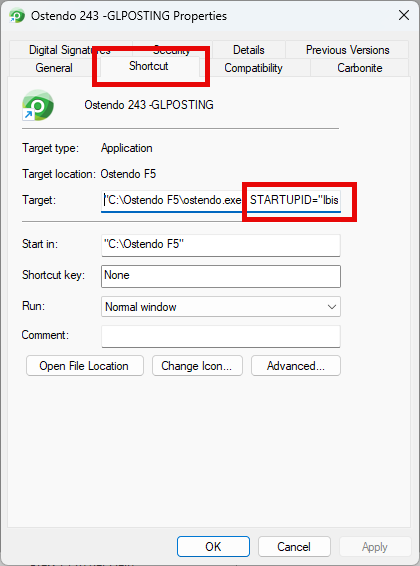
- Right clicking on the icon, selecting 'Show More Options', and select Properties. In the Shortcut tab add the bold text with a space after "C:\Ostendo Continuum\ostendo.exe" STARTUPID="[Ostendo ID]" USERNAME="ZGLPOSTING" PASSWORD="[password]" /glpost
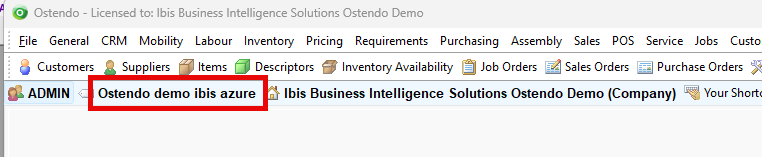
Note: The Ostendo ID can be found on the top left of your Ostendo screen.